Showing posts with label BIOS. Show all posts

Wednesday, July 18, 2012

Configuring the Acer AO725 as a Mac Book Air

I should first say that I own both a Mac Book Air and an Acer AO722 11.6" notebook.

The Acer was 1/3rd of the price of the Apple but in my opinion the extra that you pay for the MBA is well worth it. Sure you could attempt to configure the Acer AO725 as a Hackintosh but it would not perform the same way or at a similar level of performance. This is, of course, if you can find a way to unlock the UEFI so that OSX can be installed on the Acer.

The Apple hardware is far better and if anything the superior build quality may prompt the opposite and the configuration of the MBA with Windows. 

Boot Camp:

I have installed Windows 7 on a Mac Book Air using Boot Camp.

Links:

Tuesday, July 17, 2012

Assadintosh

It is nice to see that life goes on. Even though the violence is stepping up in Syria there are still those looking for ways to configure a Hackintosh.

Visits to my pages relating to the unlocking of Insyde H2O BIOS and other pages that cover the configuration of a Windows computer with OSX were seen today from Damascus.

The previous visit from Damascus, most likely from another visitor, was possibly more relevant to the situation in Syria and could be from someone concerned about or working for the Assad regime.

There was another visit, from Rabat - Morocco, that was made to my post on the use of Tor and TorButton - The search here was from someone looking to download the version of Firefox that is used with the current version on the Tor bundle:
Firefox ESP version 10.0.5 - the search was in French (not Arabic), as telecharger was used in the search string.

Links:

Monday, July 16, 2012

BIOS Whitelist

Or "white-list".

Apparently HP, Lenovo and maybe others have a whitelist in their machines BIOS to limit what peripherals you can use.

As far as I know this is nothing to do with the Unlocking techniques discussed on many forums that reveal hidden menus to allow the adjustment of CPU settings, Memory Timings and other BIOS related items.

Links:

Wednesday, July 4, 2012

Performing a BIOS Mod - Unlocking your BIOS

Most computer enthusiasts have heard of the phrase "to flash your ROM", but many don't really know what this means. This page is not meant to be a comprehensive "how-to", either from the perspective of the actual  "flash" or from the exact details on what to change in a specific BIOS product to achieve the desired effect.

"Flashing your BIOS" is not necessarily the same as modifying your BIOS to enable functions that were not available before. Many computer and motherboard manufacturers supply a BIOS Flashing program so that you can update your computer.

In most cases the cutomization of a computers ROM BIOS is too difficult for the novice computer user. However, flash updates are often made availble.
 
I have seen no reason to modify the BIOS on any of the computers that I own that have the Insyde H2O BIOS.

Why would you want to Modify and Flash your System BIOS?

There are multiple reasons, some of which are fixes to problems that affect your computer in operating in the way that it should. Others are to extend the capabilities of your computer  beyond that for which the manufacturer intended.

Un-hide Items or Options
These include:

  • Enable or disable virtualisation (if your processor has that capability)
  • Allow the correct handling of SATA hard drives or other hardware within your computer.
  • Reveal settings for voltages and multipliers for overclocking CPU and Memory
Programs to use to create a Custom BIOS
All tools stored on my intranet
  • AMIBCP8 for Windows
  • MMTool(AMI BIOS)
  • cbrom1.82 (and other versions) Phoenix
  • Insydeh2o Utilities
  • EzH20 (official Insyde tool) that has been leaked. - 06-25-2009 DannyRes (poster on a well known notebook site) - may also be known as EZH2O

Links:

Tuesday, July 3, 2012

Resetting BIOS passwords

This is something that visitors to my BIOS unlock pages seem to be attracted to.

How to reset a BIOS password.

The way that you do this is to clear the data from the CMOS storage chip in your computer. Many desktop motherboards have jumpers to allow this to be done, laptops often require that you know what pins on the motherboard to short.

Unlocking a computers BIOS is not the same thing as unlocking the BIOS that has been password protected and that password had been forgotten. However, the BIOS settings are stored in the same CMOS as the system BIOS password. So, if you are unable to boot your computer the BIOS needs to be unlocked.

The ACPI Table

A storage area (In BIOS) that contains information of subsystem operation of a PC. ACPI - Advanced Configuration and Power Interface

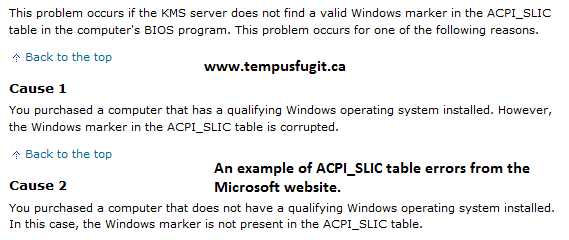
ACPI_SLIC - controls and/or contains information about the software and operating system running on a computer. The licenses, product keys etc.

The DMI table is stored here as well. The name of the particular table will be vendor specific. Some BIOS vendors will provide toolkits to allow you to enter inventory data into your DMI table. Phoenix and AMI have toolkits but they only provide details on their pre-boots to manufacturers.

The ACPI Table for the Gigabyte m/b is presumably ACPITBL.BIN
The screenshot above shows the tables that are stored in the BIOS for a Gigabyte GA-EP45-U3DP motherboard. The table names and their offsets within the file are given and are to be used when the data is dumped and re-flashed.

This screen-shot shows an Asus BIOS dump (the SLIC Table)
The data in these tables can be dumped, edited and re-flashed to the BIOS or EFI storage media.

Activation of Windows by means of a BIOS MOD

The exact specification and location of the required certificates are known by the manufacturer of the hardware to be activated. This data is checked by the Windows Operating system to determine whether the copy of Windows is activated and genuine.

The Windows certificate can be placed in the ACPI table manually or by the use of a script.

If you have corrupted your BIOS

There are many ways you can  do this. If you apply a "patch" to your BIOS and it fails you will probably be in a position that your computer will not boot. It is for this reason that the manufacturers warn users when they attempt such actions.

To recover from a corrupted BIOS you will need to restore the BIOS to the factory settings and start over. This is why a Gigabyte motherboard is particularly useful as it has a Dual BIOS.

Links:

SLIC (Software Licensing Description Table)

A comparison and motivation for SLIC BIOS modifications both both the unlocking of BIOS features and the Activation of Licensed Software). What is more effective for Windows 7 activation, a "raw" BIOS mod and a BIOS Flash or a software loader (script)?

The activation of licensed software is certainly easier using a "loader" script. The use of the word "loader" is a little misleading as the thing that gets "loaded" is the OEM Certificate into the SLIC table that forms part of the system BIOS. The entries in this table (ACPI_SLIC) are read by the operating system (Windows 7 and Vista) and the copy then appear "genuine" if the appropriate certificate and serial number is found.

The modification of menu items and other functions of the System BIOS can be made by editing the contents of the BIOS ROM and then the BIOS chip is "flashed" with this new BIOS configuration. To make changes to the binary image that is stored on the BIOS Memory chip requires a detailed knowledge of the functions of the computer w.r.t. BIOS and how the computer boots, recognizes system components and how they interact together. If you do not know what you are doing you can render your computer so that it will not boot.


Monday, July 2, 2012

Advanced Configuration and Power Interface (ACPI)

The ACPI specification is an open industry standard for hardware and power management.

The ACP Interface consists of various modules stored on the System BIOS chip in a computer and are responsible for various functions.

For example: the ACPI_SLIC module (table) controls and/or contains information about the software and operating system running on a computer. The licenses, product keys etc. Some PCs has non-standard ACPI_SLIC tables


Links:

Wednesday, July 20, 2011

Ray Padgett

If you write factually incorrect articles for eHow then you deserve a page of your own.

Ray Padgett is not a techology expert. He has a degree in religion and has only been writing nonesence about technology since graduating 2 years ago.


Ray is the author of an article that Internet users will find if they search for methods to unlock Insyde H2O BIOS. The article is a work of fiction and quotes tempusfugit.ca as a source of information.
A visitor to this site asked if I could supply them with a copy of the Insyde H2O CD that Ray had written about on eHow. As I knew that this had never existed I suggested that the visitor contact Ray directly as he was the author of the article.
After some time Ray replied to the visitors request for information on how he could obtain the H2O CD:

This is Ray's reply............
  Sorry for the delay, been meaning to reply to you. Unfortunately, that
  article was written over three years ago. I guess they don't make those CDs
  anymore.

  Best of luck finding what you need!

  Ray

Ray's article was written less than 3 years previously and Ray had never used such a CD as it had never existed!
If Ray's short bio on the eHow page and also on his own website "Cover Me" is to believed, Ray has only been writing since 2009 and that is only 2 years ago (Winter 2011/2012)

Wednesday, January 5, 2011

The vmx-var-set-efi utility - The rEFIt Project

This utility can be used on Apple Mackintosh computers to enable Intel vt-x (hardware assisted virtualization) to allow the use of virtualization software such a Parallels.

rEFIt can be used to configure Mac hardware to  boot into other operating systems such as Windows 7.

rEFIt is a boot menu and maintenance toolkit for EFI-based machines like the Intel Macs.


Wednesday, September 15, 2010

Mac EFI facts and myths

This is only a synopsis - please see the rEFIt page on Sourceforce

The list below is a starting point for my own research.
  • Myth: You need Boot Camp to run Windows/Linux/...
  • Myth: You need BIOS compatibility to boot Linux
  • Fact: You need a MBR partition table to use LILO/GRUB
  • Fact: You need BIOS compatibility for 2D/3D acceleration
  • Fact: You need BIOS compatibility and a MBR partition table to boot Windows
  • Myth: Mac OS X requires GPT
  • Myth: Mac OS X requires a hidden EFI System Partition
  • Myth: EFI requires GPT
  • Myth: GRUB overwrites GPT tables;
  • Myth: You need rEFIt's reiserfs driver to boot Linux from a reiserfs partition with LILO/GRUB
  • Myth: You need rEFIt to install/boot Linux
  • Myth: You need rEFIt's gptsync after using Boot Camp Assistant

Links:

Wednesday, September 8, 2010

Asus Core Unlocker - How To

When you update your BIOS on your Asus motherboard you may see an option that says:

"Press 4 for Asus Core Unlocker".

This option may not appear if you processor does not have any locked cores to unlock.
Or;
It may appear on all boards that have had the BIOS update irrespective of the capabilities of the processor.


I see this option on my M4A785TD-M EVO with an AMD Phenom II X6 1055T
(I can't seem to unlock it to an X7 or X8!!!!)

UPDATE: The option changes to a message that "all 6 Cores are unlocked!!!" when I press 4 on boot.
Question is? will it come back when I put my 550 BE on the m/b? and can I unlock it to an X4?

 Links:

Tuesday, September 7, 2010

Whether the Mac uses a System BIOS or an EFI


This discussion is relevant to the configuration of OSX on non-Apple hardware (Hackintosh). Whether the BIOS needs to be configured in a particular manner to allow the operation of Snow Leopard for example. Does the SATA type have to be set to ACHI and the boot loader need to be a Linux/Grub derivative (the
Windows 7/Vista bootloader does not seem to work on a Mac)

It is really a moot point (the discussion on the differences) and the rhetoric you see on the web relating EFI partitions makes the whole thing so much more mysterious than it is.

The Insyde h2o BIOS is based on an EFI

To use a computer that has an Insyde BIOS you still need to configure an alternative boot loader. It is not a question of finding the correct BIOS settings.

Those looking for the "magic" BIOS settings are barking up the wrong tree!

  • The vmx-var-set.efi utility
  • The Mac and EFI - the myths surrounding the MAC and EFI


Saturday, August 14, 2010

Asus Core Unlocker


Applying the 2103 BIOS update to my Asus M4A785TD-M EVO motherboard I now get an option to launch the Asus Core Unlocker when I boot the computer.


At present the computer is using an AMD Phenom II X6 1055T processor so there is nothing to unlock. I do have an AMD Phenom II 550 X2, which is widely hailed as a Black Edition processor that has 2 hidden cores.

If anyone is interested I could try unlocking the cores and post the results. At present the 550 is used in a Zotec ITX motherboard (with Phoenix/Award BIOS - that possibly has unlocking capability) - the 550 is easy and modestly overclocked to 3.4G from the stock 3.1G. As it is being used in an ITX format computer heat and power dissipation if of prime concern.

Searches finding this post:
asus m4a785td-m bios 2103 bugs - 16 Aug 2010, Arnhem- As far as I was concerned I didn't find any bugs.
m4a785td-m-evo bios 2103 disabled fourth core - Aug 2010, Bucharest - I can only surmise that this is in reference to a Dual Core processor that will not unlock to 4 cores (only the 3 making it an X3 not an X4) - there have been reports that some X2 processors cannot be unlocked at all!

Cores can also be unlocked using "Unleashing Mode"

Tuesday, May 4, 2010

Hardware requirements for a Hackintosh

...... setting your SATA type

The exact requirements for what is needed to configure a Hackintosh are subject to much debate.

I am of the opinion that is more than a hardware requirement in as far of what the specs and settings are, rather the ability to be able to configure the hardware that you have to allow the installation and operation of the Apple operating system.

Many websites and forums will give you a list of requirements but sadly there are other agendas at play here.

------------------------------
A list of the requirements for a Hackintosh (LifeHacker):
  1. Robust Graphics Booster → Auto
  2. CPU Reference → Auto
  3. DRAM Channel B Reference → Auto
  4. The Date and Time -------- ???????? Duh!
  5. HDD Boot Priority → USB Flash Drive ---- This is kind of fundamental, you want to boot from an external drive. This applies to the installation of ANY operating system.
  6. SATA RAID/AHCI → AHCI
  7. ACPI Suspend Type → S3(STR)
  8. Reset Open Case Status → Disabled
  9. PCI IRQ Assignment → Auto (actually this was shown in error on the BIOS screen as PC11 - the default PCI IRQ assignment for PCI Video adapters.

DMI (Desktop Management Interface)

The DMI utility allows you to manage serial numbers etc for inventory purposes - stored in BIOS it is not a way to control the processor features such as vt-x, SATA settings (Native - Non-Native enable disable) and overclocking parameters.

When you purchase a PC, particularly HP notebooks, the manufacturer can "finger-print" the hardware in System BIOS so that if you change something the BIOS can detect this and prompt you to contact customer service.

The DMI table stores custom information relating to the computer. The name of the particular table will be vendor specific. Some BIOS vendors will provide toolkits to allow you to enter inventory data into your DMI table. Phoenix and AMI have toolkits but they only provide details on their pre-boots to manufacturers.

This post needs graphics to be uploaded from my website

Code Purple

If has been reported that HP has a "Code Purple" that is thrown when you make an attempt to install Windows XP on a computer that was shipped with Vista or Windows 7. This may be due to the fact that the system BIOS has been altered to enable/disable a particular feature (such as SATA support) or that you have changed the hardware, possibly and including  changing the motherboard.


It is also possible to view the contents of the DMI table if you have a computer that is dual booted with Linux:

Tuesday, April 13, 2010

Native SATA Support

How to enable/disable SATA support in your computers BIOS

Since the initial draft of this page much more information has come to light with regard to Notebook/Laptop BIOS EFI

It is highly likely that you will not be able to control your computers ability to handle SATA drives if the manufacturerof the computer and its BIOS have determined that they DO NOT WANT YOU TO install an alternative operating system other than the one supplied with the computer.

Sony are particularly fond of this activity, most of their laptops with Windows 7 have limited ability to adjust both SATA support and VT (Hardware Virtualization - Intel-vt/AMD-V).

You will also find information on the Internet that tell you you need to both "Enable" and Disable" SATA support in your computers system BIOS so that hard drives (HDD) are recognized when you are installing an operating system such as Windows XP.

The fact of the matter is NOT if it is that you have to one or the other - in these cases you have no control over the SATA support because of another deficiency in your computers sysem BIOS

When you see that you should enable or disable Native SATA support it normally is a panacea for the same malady. It is normally advised by those that claim that they have a particular function on their computer - like they have installed XP on their Vista computer, configured it as a Hackintosh or have installed a solid state drive.

Thursday, March 4, 2010

Award BIOS

The Award BIOS - With M.I.T - Intelligent Tweaking

Unlike some of the BIOSs that are used in "brand name" desktops and in most laptops, the Award BIOS seems to be feature packed. The details of the BIOS options and the screens can be found  in the motherboards owners manual, so there is no point in repeating them here.